Ticket Scheduler
Schedule Zendesk ticket replies and attachments for later.
Installations
5+
Fonctionne avec
Support
Développeur
Arctic Lunar
About this app
Ticket Scheduler by Arctic Lunar
Plan ticket replies and attachments now and deliver them automatically when it matters most.
Zendesk excels at real-time support, but global teams and time zones need flexible timing. Ticket Scheduler integrates into your ticket sidebar so agents can compose ticket responses and schedule them for later with attachments and automatic status updates.
One-time OAuth connects your workspace and tokens refresh automatically in the background.
★ Smart Reply Scheduling & Quick Actions
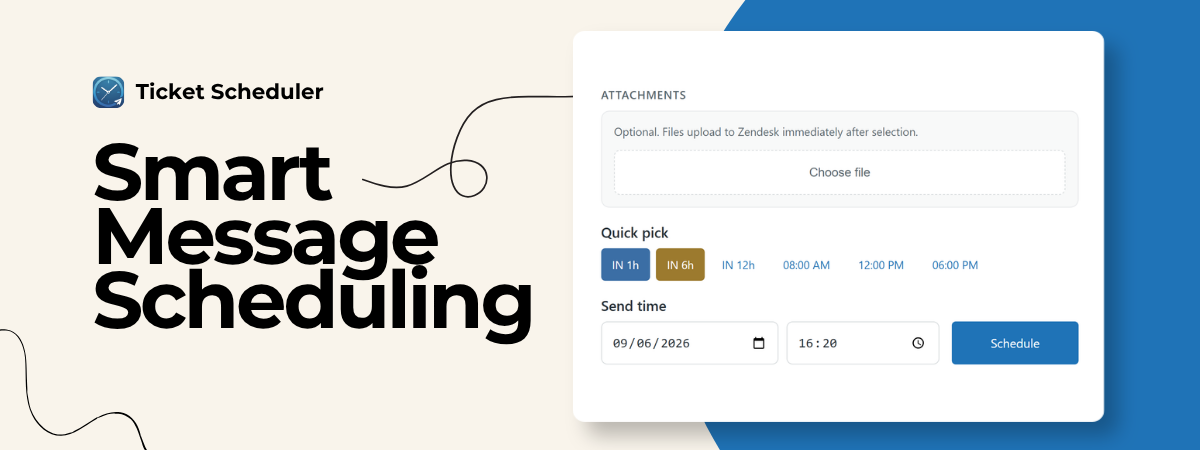
Schedule replies to the minute, or use pre-configured buttons.
- Automatic delivery: Public ticket comments post at the scheduled time.
- Attachments: Drag and drop files into the sidebar to send them instantly with your reply.
- Quick buttons: Up to 6 presets for delays (e.g. "In 2 hours") or fixed times (e.g. "08:00 AM").
★ Ticket Status Mapping
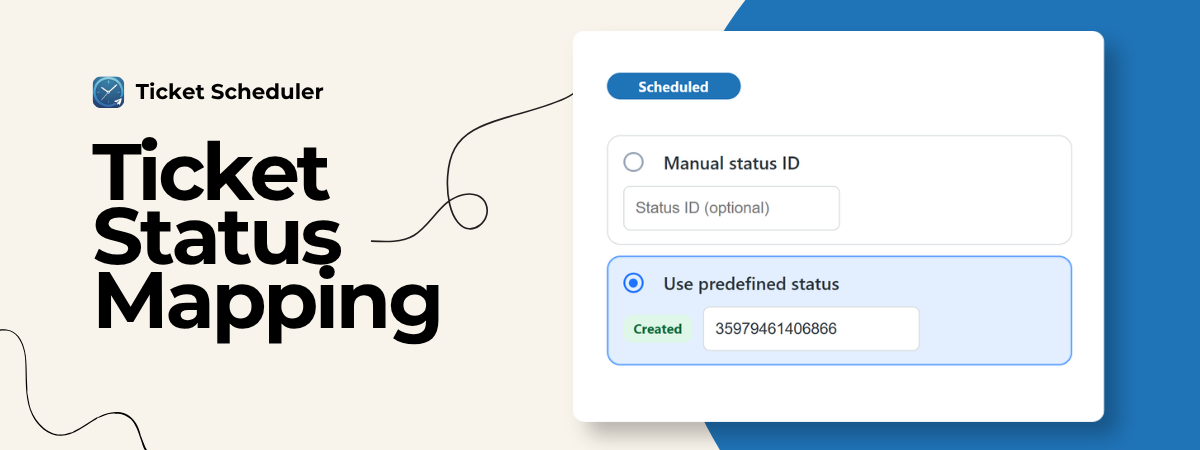
Map lifecycle events to Zendesk custom statuses like scheduled, sent, cancelled, or failed.
- Custom or predefined statuses: Your own IDs or app-created templates in the admin panel.
- Workspace-wide: One nav bar setup for the whole team.
- Hands-free: Status updates when messages are scheduled, sent, cancelled, or fail.
★ Track & Manage Messages
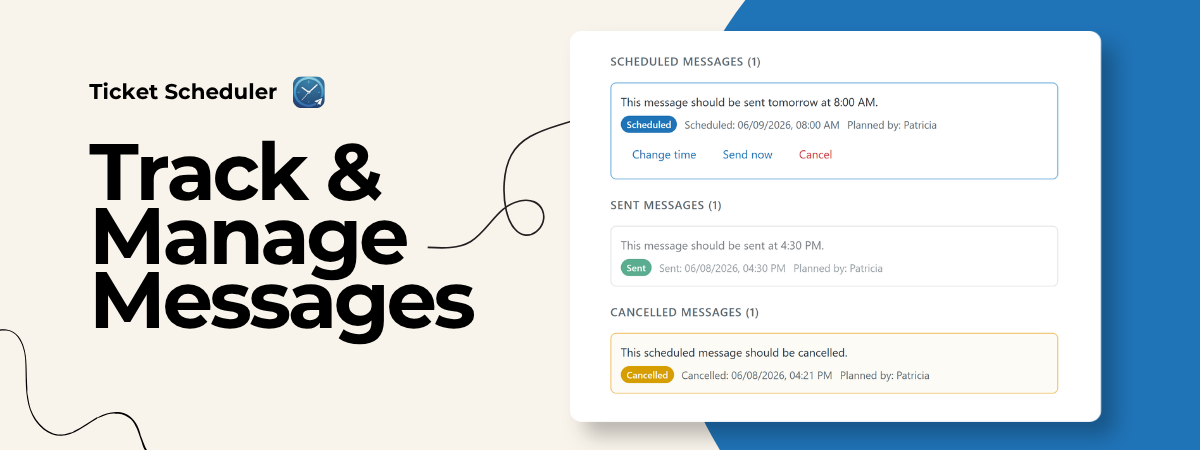
Overview in the ticket sidebar: scheduled, sent, cancelled, and failed messages.
- Reschedule pending messages when priorities change.
- Send now or cancel any queued message instantly.
- Team visibility: See who scheduled each reply to avoid duplicate responses.
★ Core Use Cases
- Weekend follow-ups: Draft Friday, deliver Monday morning.
- Multi-timezone support: Write in your hours and customers receive messages in theirs.
- High-volume tickets: Coordinate queued replies across agents.
Data Disclosure & Privacy
We process: Zendesk subdomain; OAuth tokens; ticket IDs; reply text; public/internal setting; optional author ID; attachment tokens; optional custom status IDs. Used only to schedule, verify agents, upload files, deliver messages, and manage schedules.
Hosted on AWS in the EU (eu-central-1). Tokens and schedules stored in DynamoDB until deleted, sent, or cancelled. We do not sell personal data.
- Subprocessor: Amazon Web Services
- Support: support@arcticlunar.com
- Website: https://www.arcticlunar.com
Détails de l’application
Comment l’installer
Upload and install this app.
Open the Ticket Scheduler setup window from the left main navigation icon and complete setup there (auto-create statuses + OAuth).
Open a ticket and use the sidebar app.
Laisser un avis
Partagez votre expérience avec le reste de la communauté Zendesk