Ticket PDF Download
This application allows the user to download tickets as PDF.
6 reviews
Installations
1000+
Fonctionne avec
Support
Développeur
Nusive
About this app
Nusive Ticket PDF Download allows you to download tickets as PDF.The exported PDF includes all the elements from the ticket, including font styles, lists, and attachments.The application also allows the user to export multiple PDF as the same time.
All processing is performed on the client side. This means that your information never leaves Zendesk while the PDF is being built.Since the processing is performed on the client side, there are some limitations on the type of HTML the application can handle. The application will try to process and convert your comments HTML, but in case it is not possible, the plain comment will be exported.
In addition to this, Zendesk imposes a limit on the API calls an application can make per agent, per application. This affects the generation process times when using the bulk export. It is as fast as it can be keeping everything inside your Zendesk instance.
Exporting a single ticket to PDFTo export a ticket, just open it and click the "Download PDF" button in the sidebar application.
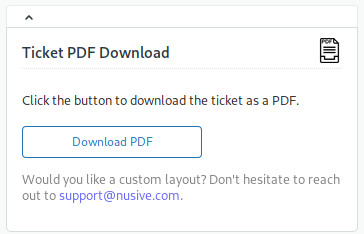 You're browser will prompt you to download a PDF for the ticket.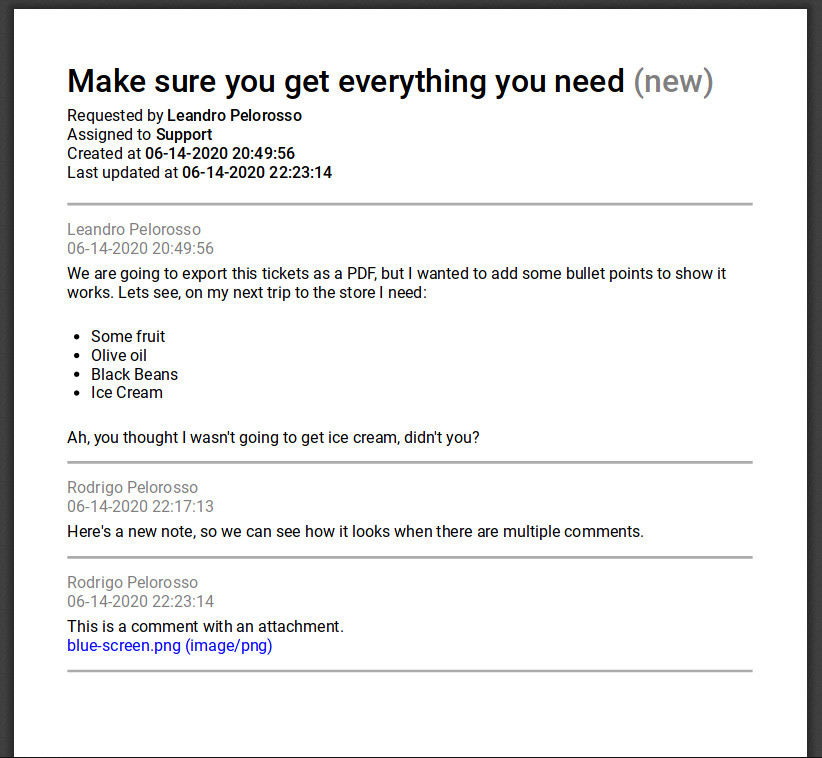
Exporting multiple tickets to PDF (or ZIP)The application also allows you to print multiple tickets at the same time. By default, it will print a single PDF with all the tickets. Check the options export as a ZIP file containing a PDF per ticket.
Bulk export allows for multiple search features.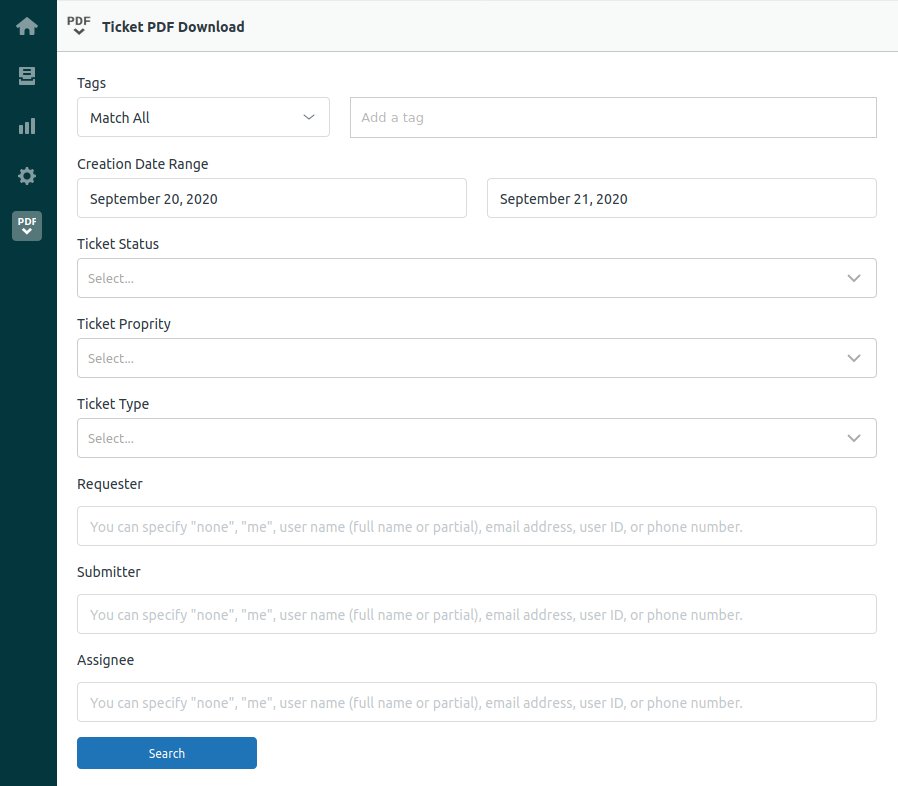 Once the search is complete, the application allows the user to select which tickets to export, along with some settings. The application was tested with up to 2333 tickets.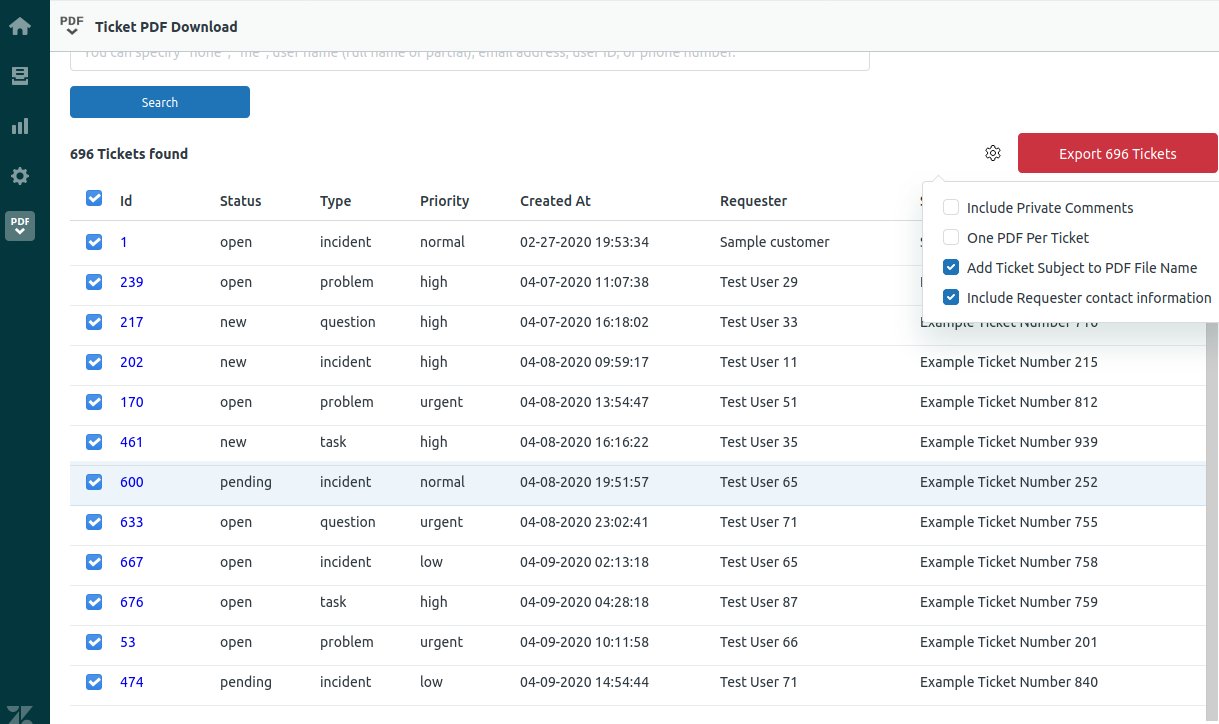
Détails de l’application
Comment l’installer
This application doesn't have any special requirements. Just click the install button to install this application. Once installed, you'll find it in the right sidebar application.
Témoignages des utilisateurs
Laisser un avis
Partagez votre expérience avec le reste de la communauté Zendesk
Formules et tarifs
Ticket PDF Download Free
Never pay a thing
Download a single ticket as PDF from the Ticket Sidebar application.
Search and download or more tickets as a single PDF, or a ZIP file with multiple PDF files, using the left Nav Bar application. Search tickets by tags, creation date, status, priority, type, requester, submitter, or assignee.
Ticket PDF Download Plus
Free 30-day trial, then $1.00 per agent, per month
Include SIDE CONVERSATIONS.
Exclude private comments.
Include:
Requester contact information (email, phone, and custom fields).
Custom fields.
Tags.
Embedded images.
Embed uploaded PDF as pages.
Add uploaded files as PDF attachments.